You found a VA, now what?

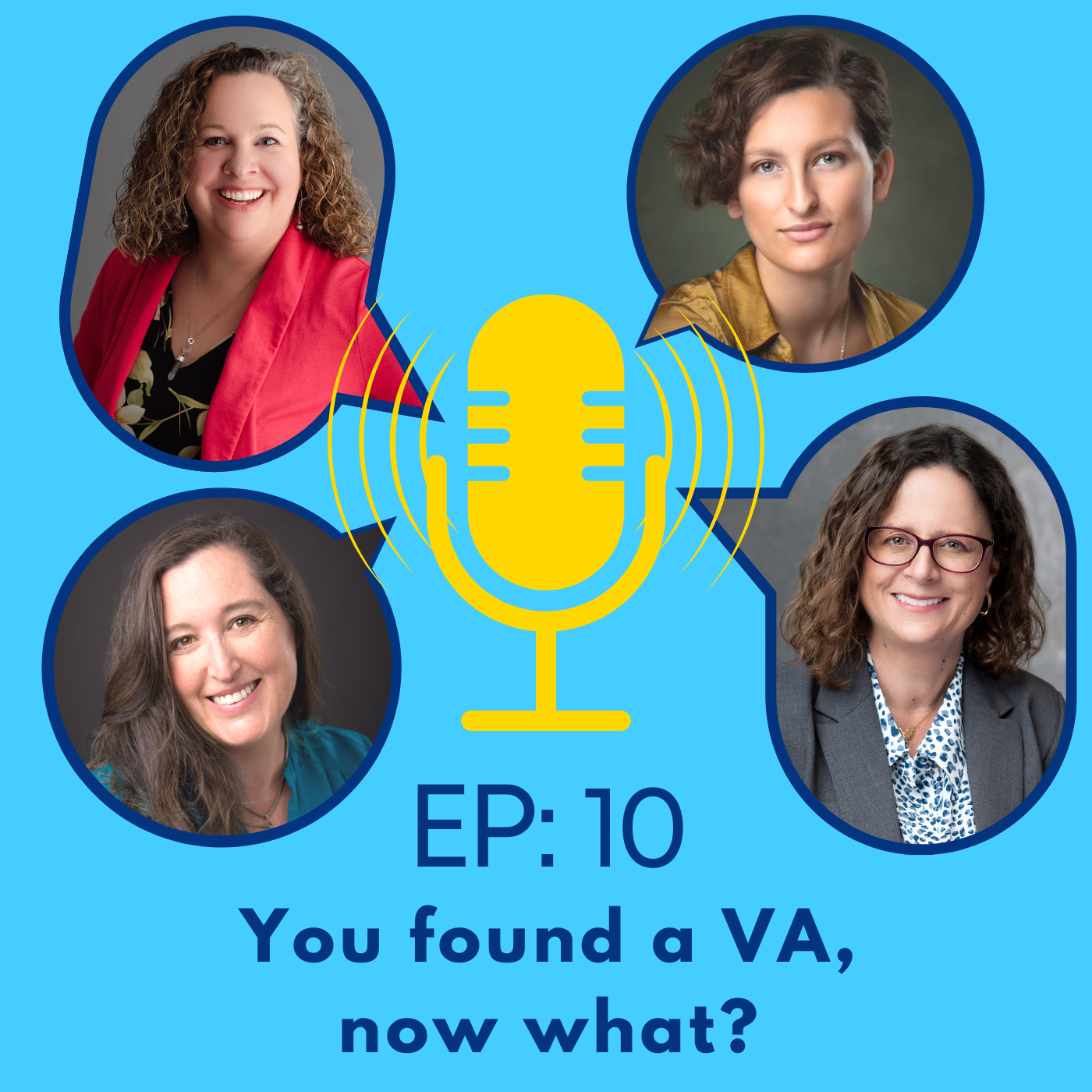


You found a VA. Yay!! Now what? Getting started is the fun part but it can be a little overwhelming. Most of the time, a VA will let the client lead the onboarding process. The client brings the WHAT and the VA is the resource for the HOW. This getting started call is usually logistical, so what do you need to consider?
In this episode, we discuss the onboarding process. We’ll tell you what’s important to think about and have ready.
Reminder: This is the last episode of Season 1, but we will be back. Make sure you subscribe to receive notifications for when we return in the Fall for Season 2.
Have a question?
Email us at heyvapodcast@gmail.com, join our Facebook group Find, Hire and Work with a Virtual Assistant (VA): https://www.facebook.com/groups/findavirtualassistant
or find our contact details here: https://linktr.ee/heyvapodcast
Please leave a like, comment, or review, and share our podcast with someone you know who could benefit from our content.
0:00 Hi, welcome to the podcast that explores what virtual assistants want business owners to know when they start asking themselves the question, hey, do I need a VA? I'm Rachel Davila and after 18 years as a virtual assistant going it alone, I experienced the steep learning curve from the other side of the VA client relationship when I hired my own assistant. Joining me on this podcast is a group of friends and colleagues who all have their own take on what busy entrepreneurs need to know to find, hire, and work with a virtual assistant and mindfully answer the question, hey, do I need a VA?
0:44 Let's get this episode started. Hey everyone, welcome back to Hey, Do I Need a VA? The podcast. We are on episode 10, which is super exciting to me that we had 10 episodes of Things Talk About. Don't worry, this is our last episode of season one, but we will be back in the fall with a whole new season with lots more to talk about. So stick with us today because we are talking about onboarding. You found the VA, now what? So to get this ball rolling, I have with me Sidney Hubbard, Leanne Oremli, and Brie Vivi, and we are going to share all the things we want you to think about when it comes to onboarding your new VA.
1:34 So what kinds of things do you talk about in that after you've decided to work with the client conversation in terms of getting started? Sidney, we'll start with you. I have a business contract. I didn't start out with one, but I ended up creating one. I think in terms of kind of figuring out what the business and the VA, like how they're going to fit together, I think a business contract is really nice because it fills in those details surrounding payment and also confidentiality, but also just like there's a part of my business contract where it talks about if you're having a problem, let me know, and what happens if my business and your business go separate ways, all of that stuff.
2:38 I think even if anything just brings up talking points that the VA and the client should have surrounding how the businesses are going to work together. Yeah, I agree. A contract is good and not all VA's will have one, so if you as a client that is an important thing to have, maybe have draft something that kind of covers your basis, I know one of my clients had me sign a non-disclosure agreement because some of the tasks that I was going to be working on within her business required an extra step of confidentiality and legal ease.
3:27 So kind of knowing what your business needs are, I know that I have a couple of coaches who I added wording into my contract with them to follow the ICF, International Coaches Federation Ethics, to just kind of cover working with their clients and everything. And then I know that as a graduate of AssistU, I follow their code of ethics, and so I do have wording in my contract that I follow those guidelines and that clients can follow that. I also, this kind of recently came up for me where emergency plans, contingency plans, I added wording into my contract to let my clients know that in the event of my incapacitation or extended absence, what the process would be.
4:25 And so those are things that I've added into my contract based on client needs and just basically being in business and learning, you know, kind of what needs going on. But if you're looking at your business and the needs that you have, it is okay to say, add this paragraph or here's an addendum kind of thing that you'll want to take into account when you're onboarding clients. Anything you guys have come up with, Leanne or Brie? I also have a contract. It also goes over like, if I make documents or presentations to you like that those are now your, your own ownership of them, like who owns the documents and things after that, and that it should I want to use it as a portfolio kind of thing that I would ask permission first before sharing any kind of information like that.
5:19 I also have like communication expectations and what our business hours are so that they know like, my team may decide to work on weekends, but it's not a requirement like our business hours are nine to four 30 mountain standard time, and that you can expect to have like responses within a certain amount of hours and that kind of stuff. So we also kind of have a little bit of like what the working communications and things back and forth like that would be in ours as well. And mine has all those things, although I am having which you said about the contingency plan that's coming up next. But the only other thing that's in mine is the billing cycle. So when do I bill, how much do I bill for, do I bill by the minute, do I bill by the quarter hour, you know, what is it, the other thing that I put in mine and it's because of past experiences, that if they want stock images or something they need to be purchased, they have to pay for the purchase.
6:14 I'm not covering that. I mean, yes, I might purchase it for them, but it's going to be billed through to them. I found that stating those kinds of things on the contract helps with any questions that might come up later. I think that's pretty much all. Oh, the only other thing that's on there is, I'm not their employee. It says very clearly, I'm not your employee. You know, I pay my own taxes, but you know, talk to your tax consultant, you will probably have to do a form because I am a contractor. So contracts aside, what are some other kind of onboarding things? I know a lot of times clients have specific programs that they work in. And so a lot of that kind of upfront beginning conversation, first meeting type things is let's get you into the email.
7:06 Let's get you into the programs that you need the sharing of passwords. You know, Leigh Ann, you're a technical person, but a lot of programs nowadays have those two factor authentication. So even if like I have an info at the client email, I still need to kind of be on a call with them for the, that initial verification codes and everything. So what else can you guys think of for kind of that first, let's get started call. I'll start with, because I know I'm much less formal than some of you. When I start a new client, I literally let them talk and I take notes and I work with whatever they're comfortable with.
7:50 So if they're into specific programs, I use those if they want to communicate in a certain way, that's what I use. I'm not nearly as formal in the hair, here's forms and stuff. You know, Bri has to be, because she has a team, but at the same time, I'm just like, yeah, okay, let's just start working together and figure it out. As far as passwords and stuff, I highly recommend my clients use something like LastPass or one or one of the other password sharing programs. Most of them don't understand, they still need to get me in the first time, because they're like, oh, I shared it with you, you're good. I'm like, that's not how this works. And a lot of people that's not, at least for the clients that come to me, they're not tech savvy enough to do LastPass. I'm like, okay, so how else are we going to do this?
8:33 Some of them literally send me, they're using our password. I do not recommend this, but they do. So if they're going to do that, that's fine. Like at least, you know, text me one and email me the other. Don't put them both in the same email. You know, let's just kind of separate it out. And then I just start working on their biggest pain points. So it's like, I feel like my clients want to see something right away. So it's like, instead of a long onboarding for me, it's more of a, hey, this is my big pain point. Okay, let's get it moving in the right direction. And then the rest of it just kind of comes. Like I said, everybody does it differently. I know with a team, Bree, you would have to do more formal stuff. But I was like, I'll email them if I have a question, text them, whatever.
9:17 Bree, what's your process like? Yeah. So I do try to like send out, you know, prior to the call, a like question there kind of form just to kind of get things flowing so that when we come to the meeting, they'll have an idea of some of the passwords that they might need because not everybody knows where they are. So then that way they'll have, feel like they can be prepared. And we usually kind of start with like the same kind of thing, like having conversations on where are your biggest pain points? What is the things that you're hoping to see first and then having conversations around the information I would need to know for those and then letting them know the logins. I do usually joke that the verification process is the hardest part of working with somebody remotely.
9:58 And that, you know, like with me having a team, sometimes we have to do it twice and it's usually easier to have done on a call. So sometimes I'll invite a team member who is going to be working with that client into the call just so we can all get verified at the same time and then we're good to go. And quite often I use like Fathom. Thank you, Rachel, for recommending that one for me. I use Fathom recording to help with my team and so I'll highlight sections that they need to know in our calls and then I can just send them the links so that so that they can even hear firsthand from a client if they need or like go back and check it out so that they can get updated as well. And once we get working together, sometimes I'll even have the team members take on the calls themselves. But in that first call, we tend to go over like, what's the working relationship going to look like?
10:41 What kind of other partner do they want to work with so I can kind of figure out what other team member would work with them? Like what their communication expectations are? How often do they want to connect? How often like how fast do they want to go? And usually prepping them that in the beginning, there's usually more meetings and more conversation and then we kind of get more into the work speeding it up kind of thing as you go, just to kind of foreword them that even in the first inquiry call and stuff like that. But yeah, in the onboarding call, we go over that, ask them to bring in their list of things that they were talking about and then try to come up with the order that makes sense and hits those pain points from the beginning. So me, anything that we didn't cover that you have?
11:21 I think you guys covered most of it. The fact that the verification process, I agree with Bri, it's easiest on a call. I also just keep the passwords and like pen and paper in case I ever need it again. Even if our working relationship ends, I think that that could be something that could be in a business contract, but it could also just be a conversation of like, hey, like, I don't want you to have this information if we go separate ways. But I think a lot of times there has to be a certain amount of trust because I know for my job, I can't do what I need to do if I can't be like in a client's YouTube channel, right?
12:11 Or if I can't be in their mail chip account, in their podcast platform. And so I think there does have to be a certain amount of trusting that a VA is a professional and they're going to do what they need to do. I think you hit on an interesting element to the onboarding process. When you're first starting with a virtual assistant, you may or may not have the experience or the trust in giving all of this, sometimes personal, like passwords and stuff that can be very personal.
12:53 And so you might look at what you are handing off in the very, very beginning to match your comfort level. So if you're not comfortable with handing off passwords and things like that, what are some projects that can be done to establish that trust to then go, okay, now I can hand off a password or something like that? Because some red flags that I've heard, I've not experienced this, but our clients who just won't give sensitive information. They're just not at that comfort level.
13:35 And then they require the VA to do work, but then they don't give the information that the VA needs. And so that can stall or stymie the VA from actually completing the work. So have you experienced that? I haven't experienced that directly, but I have had some gun shy about handing off passwords and stuff. So some of the ways that we've gone around that is like add us as an admin. And then we get our own login, you can take it away at any time, that kind of thing. So for back ends of websites, for social media, add us as an admin to your business account and we can still post as the business, things like that.
14:16 Or like Leanne was saying, use the last pass and even send them videos and stuff of walking them through what setting that up looks like and how to share it that way so we don't actually get full access, but then we can still access those things without seeing all the passwords. And they can restrict what the access is to as well, right? They can give us different levels. The other thing that we've done is kind of just like start, like you guys were saying, start with some of those other not as scary things and build up to them. So like they have to give us a password say to their social media, but they don't have to give it to their course stuff or whatever, like just like getting them as we need them instead of like, let's dump all the passwords off the get go, like let's paste it out.
14:57 We can do that as well. I've also been added as delegated access in like in Gmail, you know, clients have created their business. May I have a face? Tell me the name. Google workspace. Is that right? You know, and then they give, they have an admin or an info at which then I have access to, but then they give that delegated access to theirs for anything that I need to do. So I know within last pass, that's the one that I use. I'm sure the other ones have the same thing, but you can share the password without the person seeing the password so that you still have it in your vault, but then you don't necessarily know what it is.
15:48 We will have a whole episode on this because our technical advisor, Leanne, put it on the list. So don't worry, we will get to it in terms of technology and things like that and everything. But when it comes to the onboarding process, these are some of the things that you'll want to consider your comfort level and your technical knowledge in terms of where they match up. And the VA can be a very useful tool and resource for that because a lot of our clients come to us because we are more tech savvy than they are.
16:28 And so we can kind of guide them through, like Brie said, we could create a video or walk them through on a call or things like that. And I know for me, if there's anything that I don't know, I say, hang on. And I go to Leanne and say, Leanne, how do I do this? And she tells me what to do. So we can reach out to our community of colleagues to kind of fill in whatever gaps we don't have to support our clients. But we may not know what those are until you bring them up to us. Other onboarding things that I know I bring up are if I'm communicating to a client's clientele, I'm always very professional and respectful.
17:15 But what are some elements, branding, wording, things like that, that clients want me to have? So how do I set up my email signature? Am I using my own personal Gmail, but with a signature specific to the client? Or do they have an email that they want me to use to communicate on their behalf? And do they have the technical experience to set me up for that? Or how do we do that? That's a conversation I have. If I'm doing graphic work or art kinds of things, do they have their colors, their logos, their branding, artwork in a place?
17:59 Do I use my Canva account? Am I using their Canva account? And sometimes if I'm using theirs, then it's getting added as a team member. So sometimes the specific programs and how the client wants to interact. Some clients don't care at all. Some clients are very specific. Like those are the things that I kind of step into. It's like what are those specifics and how do we do it? And then I always try to take one project on. What's the one thing that I can start right now that will make the most difference and get us going? Yeah, for us, because we do work as a team, we use ClickUp as our organizing platform.
18:41 So I'll usually walk them through that and get them set up in that and invite them in as a guest so that they can collaborate with us and then figure out what other type of communication they want as well. So sometimes we'll set up like a Slack channel with what other team members are working in. So they have a direct way to contact. I try to keep it for our clients that we don't really do a whole lot of communicating in email or text because I want them to have that A for themselves. But B, I feel like emails can sometimes get lost. So I want them to be able to have a place where they can be like, okay, I'm going to work with my VA's right now. I'm going to go into this place and I know that I can get a hold of them and communicate with them and keep everything in one place. So we try to kind of set up things like that or like, where are we storing documents? Are we using Google drives or things like that?
19:23 And making sure that we have those set up so that we're organizing things as we go to so that should for some reason it ends up not being a fit. They still have tangible things that they can take on with them. I didn't even know like the whole ownership transfer. Like if I create a document for a client and they want to keep it, yeah, there's rules and things like that. So I'm even just now kind of starting to kind of go, do I create the folder? And therefore, if we ever stop working together, having the conversation of, okay, copy everything over into a new folder, or do they create the folder and invite me into it so that they're the owner of anything that goes in there.
20:08 Those aren't always things we think about. We just, I never did. And now I'm kind of like, oh, I had a client who was very much like, I want ownership of it and now transfer all the ownership from my old email to this email. And I was like, oh my God. It was a very fun project. So yeah, those are kinds of things to, if you're not already thinking about maybe this conversation will help you think about like, do you need to have the ownership? Do you even care or not? And then set it up ahead of, you know, at the beginning so that you're not going at the end all of the, all the folders and all the things that then have to get figured out how to translate over.
20:50 I completely agree. I think that's also something that I've been thinking about in terms of, okay, am I going to log into your Google Drive or is it going to be on my Google Drive? And if it is going to be on my Google Drive, if you're having me download some really hectic files, do you expect me to like buy extra space in my Google Drive for you? Right? I think that's a good thing to think about, especially if some clients aren't comfortable getting or seeing the files in Canva the way they are, right?
21:34 So I think it also goes back to how tech savvy the client is, if they can look at a file in Canva and understand what's going on, or if they want PNGs of different versions of a graphic. And I also think I mainly use Google Drive for that, but if you're having me make like 12 different versions of one graphic, like that can get fluttered pretty quickly. And I think there is an element of, I like to be organized. So I think I will be doing a lot of organizing, but then it's like, to what extent do you want me to organize your drive for you versus, you know, I'm organizing the stuff that I make.
22:24 So I think there is a lot to consider, again, when it comes to ownership and when it comes to having tangible things that the client wants to keep. Man, I know this can get into a technical realm really quickly. And that's not what this topic is about, but in terms of onboarding, are there any kind of pre-planning things that you can suggest in terms of technology or anything? For the most part, I try to make sure that I'm setting stuff up for the client versus under my name.
23:04 So if I'm setting up email, if I'm setting up, you know, I do a lot of work inside of websites, so there's a lot of other accounts that need to be, like if they need a Zappi account, I'm not using mine, I'm setting one up for them. Those kinds of things, if they don't have a Google drive, I ask them to do it because it's easier or the other option is use something like Dropbox. So that way I can dump into their Dropbox. I try to give them as much of, for them as possible, because if the relationship stops, it's much easier to say, there you go, that's all yours. Just take me off. You know, change your password and you're good, you're locked up again.
23:48 But when I'm setting up a client, if I feel like they're getting overloaded, I don't ask. I just do it for them and I figure if nothing else, it's in their name, you know, they're not going to go by. If I do it in my name, that's different because now I should probably be asking for that. But sometimes people, the new clients are like, oh, this is too much, this is too much, I can't even think it through. So I make some of the decisions for them figuring, I can always reverse it. I can always go back and move it. If I just, if they're like, no, no, no, that needs to all be in your, okay, fine, I'll put all mine on the food over later when you're ready. It's more work, but you know, sometimes that's where you have to start, depends on the client.
24:30 Yeah, that's true too. And for potential clients listening to this, you don't have to know all these answers. We're just giving you things to consider, to think about if you haven't already, but having a good VA to kind of go to ask you the questions, at least if you're already kind of having it in mind, then when the question is presented to you, you can kind of go, oh, I didn't know that that was important, but now I do. So yes, put it in my name and let's do that kind of thing. So you don't necessarily have to go home and be like, oh my God, I have to fill out all these ideas.
25:16 We'll walk you through it as needed. And it might be, okay, we're setting this up because we're doing other things, because we can see where it's going to go down the road. You may not need to know that upfront, but when we ask a question, it's because we know kind of the flow it's going to lead us down. So if you do get overwhelmed, say, I am overwhelmed. And we will say, okay, this is what I need to know for right now. And then we can fill in the gaps as we go. But the benefit of a VA is we have the experience to kind of know, okay, Dropbox has more room than Google.
26:01 So let's do a Dropbox and we can do it this way. So we can kind of guide the journey, you know, but if you're like, no, I really want to stay in Google, that's fine too. But then we have other questions or, okay, we're nearing the fill line of your limits. Go ahead and purchase more space or let's declutter kind of thing. We know where things are going to go, even if you don't. So we can kind of help guide with that journey. Anything that we should consider about red flags or deal breakers as part of the onboarding process, anything you've seen, interacted with, dealt with that we might want to bring up.
26:48 So the whole time we got to onboarding, the red flags have already been flown and you never get to the onboarding. I think my biggest red flag has been more on the security side where the client has been like, here, I'm going to send you one document and here's everything. Website, username, password, and here's all of it. Okay, that's not really a red flag for us working together, but let's discuss security for a minute. Let's not do it that way. The only other one is, and I'm totally guilty of this, and I try not to be, is in my contract I have a statement that says I need a deposit for me to start and it goes back to, you know, I've had people ghost me before, but I just want to deposit on the first hour.
27:37 Therefore, I can start working and then, you know, now I know you're like a real person you're actually going to pay. I have started before someone has actually paid me. Not my brightest move because my red flag has always been, I'll get to it, I'll get to it, I'll get to it, and then they don't. So, and then they disappear, they take the work I've done and I'm out the money. So that's been my only big red flag from, you know, hey, I've already onboarded you and now I've got a problem because you haven't paid the deposit. So I try not to break that rule anymore, but I just did it the other day. Oh, good, Bri, I feel better.
28:19 It's not just me. I felt fine. I knew who she was. It was fine, but at the same time I'm like, I'm breaking a rule I shouldn't be doing this. Yeah. It's hard to get excited and you want to just get going and you are like, all amped up and so you just want to get running with it and be able to give them stuff and support them and yeah, it's easy to get caught up in it. Yep. It's like, oh wait, no, I actually need to be paid for this. Yeah, I think that's why I like my debit card system now because it does take some of the pressure off. It's like, all right, start with a low-dose card if you're not sure and then we could go from there, but only because I too have experienced that ghosting of no money.
29:06 So I think for potential clients listening in, a lot of our standards and contract things have come from experience. So if you have questions on that, then always ask because there's usually a reason why we put something in our contract. And if you don't have that in yours, then that might be something you take on with for yourself. I've taught a lot of clients how to manage their business in how I manage mine. So it goes both ways. All right, is there anything else before we wrap up?
29:47 The only one thing that also came to mind as we were talking, especially when you guys were talking Google, is that in the beginning setting, how do you want to work on things like if you're doing copywriting together and things like that? If you want to have collaborative spaces that you could work, where as Google Docs or, I know Microsoft even has a version of their Word Docs that you can work in online, where it updates instantly and people are doing it versus having old school where you, everybody's downloading it and you're trying to make sure you're working on the same version or did we lose the draft or whatever. So kind of determining how you want to look that to look in those spaces before you get started can also be helpful and seeing the value of using maybe some more of those collaborative ways versus some of the other ways and the reasons why and what your preference is.
30:33 We'll get into that with technology because there's the view only. The editor. Yeah. And if you make a copy of the document and that's the one you're working on, but I'm working over here, we need to have a conversation about collaborative spaces. So yeah, with that in mind, is like have some of those conversations in the beginning can be helpful too. Yeah. Before you get too far down the road. Then you're playing cleanup. Yeah. Yeah. Okay. Thank you so much for joining us on our final episode of season one. You found your VA now what? Join us next season when we come back.
31:17 Make sure that you subscribe to your preferred platform so that you get notified when we're back and we will see you next time. Thanks so much for joining us. Thank you for joining us on this episode of Hey, Do I Need a VA? The podcast. If you found this episode helpful, please leave a like comment or review and feel free to join our Facebook group, find hire and work with a VA for more tips and tools. If you have any questions, please email them to Hey, VA podcast at gmail.com. We'll see you next time.