Make the most out of working with your VA (Ways to Save)
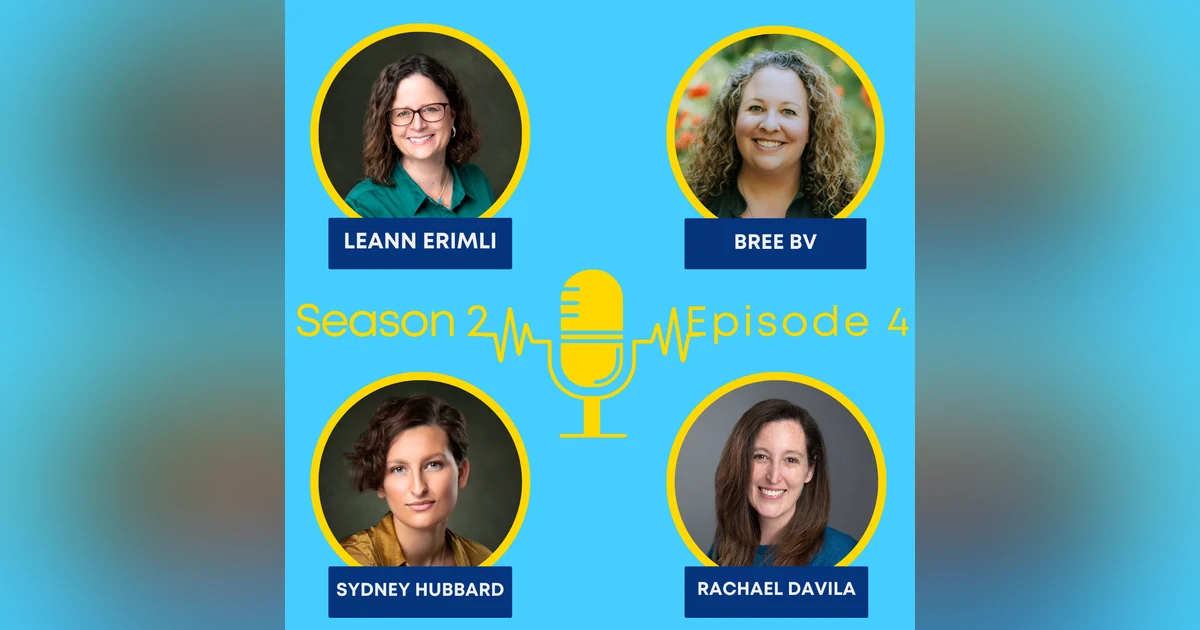


Preparation goes a long way in setting up a good foundation for working with a virtual assistant. Communication, leveraging technology, batching work, limiting communication platforms, document workflows, and so many more factors are at play when it comes to saving money.
In this episode, we discuss ways to save time and money when working with your VA.
Have a question?
Email us at heyvapodcast@gmail.com, join our Facebook group Find, Hire and Work with a Virtual Assistant (VA): https://www.facebook.com/groups/findavirtualassistant
or find our contact details here: https://linktr.ee/heyvapodcast
Please leave a like, comment, or review, and share our podcast with someone you know who could benefit from our content.
0:00 Hi, welcome to the podcast that explores what virtual assistants want business owners to know when they start asking themselves the question, Hey, do I need a VA? I'm Rachel Davila. And after 18 years as a virtual assistant going it alone, I experienced the steep learning curve from the other side of the VA client relationship when I hired my own assistant. Joining me on this podcast is a group of friends and colleagues who all have their own take on what busy entrepreneurs need to know to find, hire, and work with a virtual assistant and mindfully answer the question, Hey, do I need a VA?
0:43 Let's get this episode started. Hello, hello, and welcome back to another episode of Hey, Do I Need a VA? The Podcast. This is episode number four of season two. It's never going to get old you guys. Seriously, two seasons of information. Sorry, I get excited. But today's episode number four is ways to save to make the most out of working with your VA. And a lot of this information we took from Bree's resource that's on our resource page. But we're going to talk about it so you can just listen along.
1:24 All right. So clear communication was probably the biggest umbrella that I saw in the resource. And some things like that could be communicating what you want on your posts or in your document if there are links and things like that. Sharing and updating key dates for projects and events. And then working with your VA to establish timelines and reminders. What other ways can clients do to save money with their VA that might fall under clear communications?
2:07 Bree, I'll start with you. Yeah, like you said, if you have a system where if you're say doing a course launch or a webinar or something like that, where there's a date and there's a flow or there's a presale, those kinds of things. Having one space that you can put all of that event information in that anybody working on that event can go to that has all of those links, any visual assets that might be being used for it, any guidelines on what's to be said or what might not want to be said. And having that all in one place that can be linked as a reference document that follows any workflows that go towards that event can be really helpful for, especially if you're working with more than one person.
2:50 But even to make sure that you and your VA are on the same page, sometimes there's a landing page that got updated and when you do an update, it slightly changes the link or something like that. So having that put in so that it will all be the most up to date information is really helpful in those kinds of things. Sydney, anything for you? For clear communication. Yeah, clear communication. I think what Bree was saying kind of goes along with creating workflows. I think especially I've worked for clients and they have these big events and there's a lot of work to be done before that, but they don't necessarily have, kind of like Bree was saying, they don't have all the information in one place and they especially don't have all the tasks that they need me to do in one place.
3:39 So I think that that kind of translates into extra time spent in calls with me asking questions to figure out all of the things that are necessary. Let's say I'm making a graphic, I'm making a lot of different shapes and sizes of a graphic for this event, right? And it's easier if I can just do that all in one sitting rather than having to go back to it over and over again because I'm just learning that like, oh, you need this size and this size and this size. When I know that all at the beginning, it makes the process a lot smoother and it makes it so that I can create the graphic way ahead of time before you need it.
4:23 Events. Oh my gosh. The checklist on events. I have a whole, I have a spreadsheet that I just copy from client to client because I'm like, you need a graphic, you need an email header, you need a MailChimp journey, you need a tag, you need a Zoom link and like the list is long. It's a lot. And I think that talking through that with your VA, that communication piece to say, I have this event. Sometimes that may be all that you know about the process of said event, but ask your VA what information do I need to provide to you so that you have what you need to do what needs to be done.
5:07 So sometimes it is providing context, it is clarifying roles and responsibilities. And sometimes it may be, this is my first time ever doing this and I don't know what I need. Help a client out and what do you need from me? So sometimes that clear communication can be just admitting you don't know what you need so that you can verbalize that. Leanne, you got anything? I think you guys covered it. The only other piece for clear communication is let's make sure we're all talking on the same thing.
5:50 So if we're doing email, let's keep the email going. If we're going to jump to Slack or one of the other ones, let's make sure it's all in one place. So you're not going from here to here to here to here to find all the little pieces because you could have clear communication, but if it's on a channel you're not paying attention to, that doesn't help you too much. So that's the only other piece is stay on one channel. Keep it in one place. Keep it all in one place just like Ria said, keep it in one place. Even if it is a channel of communication, that way the Q&A goes back and forth and you're not like, hey, you said something over here and now it's over here and now I'm confused.
6:36 And that just builds frustration on both sides. And I think too part of that clear communication is also like, if I'm asking you questions that I will get this information by this time, like even saying like, you know what, I don't have that information for you right now. I will make sure you have this information by this date or on my side being like, if you want these deadlines being met, communicating that I need that information by this date so that I have the time to work on it without having to do it in urgency. Because if we're rushing things, then that's also when mistakes happen and things easily get missed or stuff like that, right? Which is things that we don't want. So what kind of timeline do we need and buffers do we need to have in place to get the information exchange for those things as well?
7:19 And I will say for any clients who start working with a VA who doesn't ask these kinds of questions, it's okay for you to say, hey, if the deadline is Friday, when do you need my pieces by so that you can get me a work, a draft by Friday? Sometimes the client does need to take that leadership role, especially if the VA doesn't ask for these kinds of deadlines and communication things. All right, we'll switch to leverage technology. I know that in the almost 20 years I've been doing this, technology has changed quite a bit.
8:05 In fact, even in the last year, things have changed quite a bit. So I know for one, I'm starting to use WhatsApp and Slack, which I've never used before with clients, but now I'm like, how did I live without this? So Bri, how does leveraging technology help translate to ways to save? Yeah, for us, we really try to use a project management platform. We use ClickUp as our tracking flows and keeping track of everything, having a spot where all that information can go and things like that. We find if we can keep things out of email as much as possible, that that really helps for again, what Leanne was saying with that chasing, like where was that email, what thread was that in?
8:53 Or if you are sending emails, make your subject line what it's about so that if you have to search it and go back, that can help save time. Because anytime we have to go search for things, that time becomes your dollar, right? And so the more consistent we can keep that, then making sure that we're all on board with that helps. The other part of technology that we use is Slack. We use Slack as our, if it's not in ClickUp, let's put it in Slack so that it can be searched. It can be how people communicate as well, because people communicate differently, right? Sometimes things come out across differently if I text it versus if I say it. And so I like that some of these technologies have that opportunity where you can, I can do a video clip, I can do a voice memo and in Slack, it even puts it into a transcript.
9:38 So if I'm out at an event or something and I need to read it, I can read through it instead instead of having to hear it, but it gives that option. And sometimes people communicate easier that way as well. So things aren't getting miscommunicated, or they're just not communicating because, oh, it'll take me too long to type it out. But if they can say it out, then that helps the back and forth as well, which saves time and gets you the information so you can do the work. You're a techie. I'm a techie, yes, so I like to play with all the technology. And Brie covered quite a lot of it as far as how to do things. The communication part of it is, you pick a channel, make sure it makes sense for you.
10:19 I work with a range of client ages. Some do not text. They do not handle texting. They don't want to text. They want to pick up the phone and talk. That's not always the most convenient. So getting them to do voice memos, that stuff kind of helps. And it's faster. It's just a whole lot easier. If I have to train somebody on how to use something that I've created for them, it's easier for me to create a quick video and send it to them than it is for me to talk them through. And then they can stop and restart the video a few times if they need to. So using technology for that, the video takes me maybe five minutes to create. Half hour phone call to teach you how to use it. There's a time difference there. There's a money difference there.
11:00 Other technologies to make things faster, I've started using a lot more of the AI stuff. And that is definitely cutting some time off of some of the projects. I'm always careful to make sure that my client knows I'm using AI and that they're okay with that. Like I just did one for I coach robotics teams and there was a very large document that we needed to review. I didn't want to review it. So I had AI review it and create the quiz for them. You'd find out you can't do a 75 pages in one go on the free version, but whatever. It was way faster than me reading the 75 pages. But just doing things like that when you can use technology to cut out some of the time for the more tedious stuff or things that don't really require me in person virtually saves the client money and it saves me time.
11:55 So we try to use technology a lot. For those of you that don't know, I always go to Leanne when I'm afraid I'm going to break the internet trying something. Even though she tells me every time I can't break the internet, I'm still afraid. So I let Leanne play with it first and then she comes back and she goes, okay, this is what you do. So it does work across the board. Like find a friend who can help you find the technology workaround that you need. It might be your VA. It might be a colleague. It might be a friend. But if technology is scaring you or anything we're saying about technology is scary or overwhelming, Leanne has assured me that you can't break the internet.
12:42 I'm not going to break it Rachel. It's okay. I know, but I'm letting everybody else know. Maybe they'll believe it more than I will. Sydney, what do you have for leveraging technology? Yeah, I think a great concrete example is this podcast. When we were starting, we were recording on Zoom and I was editing on iMovie and it took a long time to edit on iMovie. I mean iMovie is free and iMovie is great because it's free, but it was taking me a while to go through just because it's not the most sophisticated platform.
13:30 But now that we've switched to recording and editing on a riverside, it's like so much easier. It's like cut so much time off. So I think it's important to encourage your VA's to kind of explore and try that technology and I'm grateful that Rachel did that for me because it was really like it's saving money the fact that I'm able to do this quicker. So I think also there's the possibility that some platforms your VA is using or that you're asking your VA to use will have subscription fees.
14:14 And so I think it's worth thinking about whether it's worth it for you because I mean in the end it is saving you money. So I think just making sure you're understanding that like a better platform will save you money but it will also in some cases it might take money, but not in all cases. And you know a VA can help you streamline your technology. So you might have started off with technology that you're comfortable using because you are the one doing it for your business. But when you hand it off to a VA, they might say, hey, have you considered this platform or this program?
15:02 You know, I mean, I learned Photoshop, but that is way harder than Canva, you know, in terms of graphics. And for most clients Canva is user friendly. So it does cut down the time in creation and sharing and making changes and communicating back and forth on what needs to be done. So in some instances, your VA may already be using technology that they're comfortable and quick with and can help you transfer your projects over to things that they're already quick in. Or they might be like, hey, maybe Calendly instead of a doodle poll or something where they can train you on things that will make it easier and save you time and energy and money.
15:54 All right. So let's go to because we talked about it, but we'll just circle back to limit the platforms used for communication and try to keep everything in one place. Now we we've mentioned Slack, ClickUp, these are communication tools. There are a lot of different ones out there. So sometimes the clients get to know something the VA works well in. And sometimes the VA's pick up something new that the client likes to work in. So limiting the platforms that you use can be helpful in keeping things all in one place, like we said, and also the learning curve, yours or theirs.
16:46 So if you don't have one, then try out what your VA uses. And if they don't have one, they might try out what you use. Anything else on that? I think we talked about it. I have just a quick thing to add to one thing to consider when you're doing the keeping things all in one place is that like, like we were talking about, maybe doing an event thing and that kind of stuff and having all the different steps in there. When you have all those things in one place, it also helps you streamline and document like what's going on and have like things that you can collect in one space or refer back to because you can go back to those places and they're all there.
17:26 You're not having to search and see where you did that planning thing from. Or you can see that like for us in ClickUp, our processes have different statuses. So you can see where things are at at a glance by just going in and seeing, you know, okay, you know, Bree started this, so and so started that, this is all in progress. They saw that you can go in and see that at a glance without having to chase and get those things as well. So those things can be, you know, if you're working different hours and stuff, helpful for those kinds of things for you to be in the know as well. And I would say because my VA introduced me to Google Sheets. I mean, no, I knew about Google Sheets, but that's where we do a lot of our communication.
18:08 So if you're not technical savvy enough for a ClickUp or that kind of program, you can still keep things in one place like with Google Drive or even Dropbox or places that allow that collaboration between you and your VA. I do a lot in the Google Drive version of Word and Excel and PowerPoint because you can add comments and you can assign things, different cells or line items. And in that way, it is still in one place and you can still kind of keep track.
18:52 And you know, Sydney and I can have full on conversations in a Word document just through the comment section. And it might be one line item for one task, but the back and forth is in one place where we can both see it and we get notifications that the other has responded. So it doesn't necessarily have to be a communications platform. It may just be in a collaborative space. Are there other collaborative spaces besides Google Drive? There are. You can do SharePoint and things like that now too.
19:32 And there are some shared versions in the Microsoft platform. It just depends on the version that they're using. But there are other ones out there as well. I'm sure Leanne probably knows others. There's a few. You can always make things like Dropbox work. You can even make things like WhatsApp and some of the other ones work as well for collaborative. It just kind of depends on what is comfortable because if it's collaborative but nobody's comfortable in it, it's not going to do you a whole lot of good. That brings a good point, right? Start where you're comfortable. I always like to say start where you are. I mean, don't jump into new technology just because it's suggested or your VA is comfortable in there.
20:19 If you're not, they'll be happy to start where you are. And they might gently guide you to something a little bit more robust, but you don't have to jump in with both feet. You can kind of wade into the collaborative technology pool. We'll talk more about that when we get to our episode on technology because there's a whole lot of technology because we're technology-based support. All right. One more is batching work. Putting all of your ideas, changes.
21:00 What do you call it, Leanne? A punch list? When she did my website, she's like, give me all the changes in one document so that I can just go through it. So right, punch list. A punch list definitely helps, especially when you're trying to find something like a website or a document because if you give me one at a time, I charge in quarter hour. So if I go into your site, make one change, that's 15 minutes. I can do a lot of changes in 15 minutes, but if you only give me one, I'm charging you 15 minutes. So you give me four and one at a time, that could be an hour where I can easily do it in 15 minutes if you give all to me at once.
21:45 So I really encourage my clients to, hey, here's a document. I went through my whole website or I went through the whole document and here are all the things I want to change. Go. And then I can just go through them and change and mark done on all of them as they're done or make comments and then send it back. And now they can go, okay, yes, I see that. And I don't like that. Change this. And there's a whole list and it goes back and forth. And we a lot of times use even just an email version and just color our comments as we go and just comment in line. So it's all right there. We can see the changes back and forth. And that saves so much time. I mean, it saves a ton of time because I can make a bunch of changes in 15 minutes, but if you only give me one, you only get one change done.
22:32 What does it show for you, Bri? In a lot of ways, the first one that comes to mind is when we're doing collaborative social media. Like for me to get into the mindset of, okay, this is who that client is. This is the work they do. This is who they're speaking to. And I go through and I do a bunch of, like, even if I could do like a whole month's worth of content at once, I could do all that copy and make sure we're speaking the same messaging and I get in the flow and all that kind of stuff and it goes streamlined and then send it for review and then have it back. If I'm going in one post at a time, I got to reset my mind, get into that flow, do that. It's going to take longer to be make sure and then double checking. Okay, well, did we talk about that here? And is that there?
23:13 When you're working all in a flow like that, you can keep it all straight and you're not having spent all that time double checking and going back or going forward and that kind of stuff. It helps to get things done faster and keep it more consistent and congruent in your messaging and things as well. Right. And like Leanne said, too, if you have the revisions, I can go back, I can set a chunk of time and do that in that space. And then you also know, because I can plan for that in my week, right? When I'm setting up my week, I can be like, okay, on Thursday afternoon, I'm going to do all your stuff. Now you know, I can tell you that. Because if we don't have that kind of workflow, that messaging and stuff can get lost. Same thing with like an email sequence or stuff like that.
23:56 If you're doing it one email at a time, whereas if you do all of them at one go, you can get flows and have it streamlined and make sure you're not missing things. It makes it more easy. Great. Sydney, how does it show for you? Yeah, I mean, I agree with Bri and Leanne. I think for me, it's important when I'm like making social media, because then I can just do like a whole month and schedule a whole month or do a whole week and schedule a whole week versus, you know, making one post and then scheduling it and then making another post and then scheduling it. It really streams lines, it streamlines the process for me to just be able to, you know, make all the posts, put them in the document, then put all the captions in the document and all the hashtags in the document versus, you know, if a client only knows like what they want, only knows like that they want like one type of post and it's like, well, okay, then I'll only make this one type of post and then I'll have to go back in and make the other types of posts you want when you know you want them.
25:09 The way it came up for me is a little bit differently because I don't always do social media for clients and it does kind of go to clear communication as well, but there are some clients that I do like weekly reminders for or I will go in one day and I will do all of their client check-ins and I'll do a recap. So it's batching work in that I'm going to touch all the different things I need to do for that one client and for them instead of getting a schedule that or I made this change or I updated this in a bunch of different emails, I just send them a recap email and I put everything into one place and so we can then go back and forth and color coded in line.
26:01 You know, if I ask a question, the client can respond with a different color and it's in one place and so it's all of the things, right? It's all in one place. We can work together on it and so sometimes like in my week, I schedule out, I do an hour for this client, an hour for this client, an hour for this client and all of the tasks I might have collected to do all at once. So they might have sent it to me in different emails but then I can batch it by putting it all together and doing it at one time and I think that does save a client money because instead of spending 15-20 minutes per email, if it's part of a flow, if I'm already in the workflow, then the whole thing could take me one hour and so in that way, I save the client money because then I batch it if they don't always do that for me.
27:08 So if you are not a naturally organized person to kind of do all of that, ask your VA for support because they'll be able to say, oh, you want to do this, you want to do this, these are your goals, here's how I can help, let's do it this way. Maybe give me all the quotes for September or why don't you pick a day next week to record all your videos for the month or they can give you tips and strategies and tools to make working with them easier. I have one thing to add too. When we are doing things in batches and you're all in a workflow, sometimes that's where we catch the gaps too that we didn't know were there and if you're doing it one-offs, then sometimes you miss those gaps because you don't see it unless you're in the flow.
27:59 So sometimes it can be beneficial for even those kinds of things as well, not just saving time but catching the things that you didn't know you were missing. I can't tell you how many times I stepped into a project. I'm like, yeah, this is going to be great. Oh crap, I need xyz. So yeah, totally makes sense that you would find the gaps. All right, the last thing that we have is document workflows. Either if you already know what your workflow is and you can document whatever part you know about, your VA can then step in and help fill in the gaps or if you don't have anything organized and you need to get it in one workflow, a VA can help you put those things in motion.
28:51 But having the workflow, having the idea of, oh, I do this event every year and now I know all that I need in the order in which I need it and I know what I need to get to my assistant and what my assistant gets to me, if it's in a document that you can put for next year, then you're not stepping into it cold the next time you do it. You have that outline already in place and you'll hear us talk about SOPs, standard operating procedures, policies and procedures, procedures, all these kinds of big words are really just a written outline of what you do and how you do it.
29:38 And in some cases, there might be links to documents, there might be links to graphic files, but it is what we've been talking about, putting everything in one place to make it easy for you or your VA or a new VA to step into a project that may be recurring or that you do all the time, which is recurring. Sorry, anything else you guys have about document workflows? They can look different too, like we were saying with different kinds of communication, sometimes our way of capturing workflows is just doing a quick recording of us doing it that somebody else can watch and do again.
30:25 Sometimes it's just a point form, like here's the steps and like you said, here's a link to that template and that's the things that we use. But not only is it good for that, like if you're doing it once a year or at a time where you can forget about it, say your VA is going on vacation and you need somebody else to step in or somebody gets sick and you need somebody to step in, then it's good to have those things so that anybody can go in and jump in and help support you should you need it for life happening. And sometimes it's a good way for you because sometimes documenting your workflow can kind of be like a brain dump, right? It's like, I don't know how I do it. Let me just do it. And if you record it while you're doing it, then you have that recording to hand off to someone to be like, okay, outline this.
31:14 What things are you going to do? What things do I have to do? That can be really helpful, especially if you're just starting with someone and you're not sure what elements of a workflow you can or want to hand off. Because let's face it, there's going to be parts of the business that you're like, heck yeah, I want to do that piece. Something else, Rie can do or Sydney or Leanne or Rachel, you know? But if you don't get to see it down on paper, then you don't know because it's all up in your head and you feel like you have to do everything. So I love that. Sydney? Yeah. I mean, I think I talked about it a little bit earlier, but documenting workflows can just save a ton of time and especially depending on the type of VA you have, it can be more important.
32:08 So if you have a doer VA, if you have a VA who just you give them a task and they do it, it can save you a lot of time to have the full workflow written out for them so that they don't have to spend the time trying to do what you want them to do, but not really having a clear picture on how to do it. And I think it also helps when, I think it also helps the client to help figure out like, okay, especially if the client is more of a perfectionist, if they have like a very specific idea, it can help the client get that idea onto paper so that there doesn't have to be a back and forth before finally learning like, oh, this is what the client wants and this is the specific thing they've wanted and I just had no way of knowing.
33:00 So I think, yeah, they're helpful for a lot of reasons. Documenting for writing things down and documenting everything really does well, especially when you're handing a project off. What I found with some of my clients is if they write it down, they realize they can hand off way more than they thought they could. And I'm like, when they look at it, they go, oh yeah, I really only need my brain for this piece and somebody else can do all these other pieces. And it's like, yeah, and now you can go do more for your business because you can hire somebody who can do those other pieces. So I like when people write it down. I always tell my clients, there's some of your business I can't do for you and that's your creation, that's your IP, that's your intellectual property.
33:46 I can't do that. I can do almost everything else or I can find somebody who can do it for you. But if you think it's all on your client, if your client thinks, hey, it's all mine, they don't ever hand it off. Now they're stuck. So writing it all down is helpful, not just for handing things off to, here's how we do things, but to go, oh, now I get it. I can be more efficient in my own business because now I can hire the right people to do the other pieces that don't need me. And part of all of these ways to save is so that you can afford to work with a VA because sometimes you think, it's not easy to quantify what we bring to the table for clients, but sometimes when you're looking at all of these different things and you're putting them down on paper and you're really looking at what you do in a day to run your business, if you take into account what you charge an hour for your services, for your passion, for your business, what is it costing you to do the things that we've kind of talked about?
35:11 And it goes back to your handoff list, it goes back to a lot of things, but ultimately the clearer you are using the technology at your disposal, batching your work, limiting your communication platforms and keeping things in one place and documenting what you do and how you do it, all of those things a VA can easily step into and go, here's how I can help you. Here's what you need. Here's what it can look like. And here's how many hours it might take.
35:52 And so then you can start to see, oh, well, it's been taking me, it might take a VA five hours, it might've taken you 15 or 20. Where is that cost? You know, your cost for your time and effort versus the cost to hire somebody to help you do it and do it well and provide all the other things that we do for clients that we've talked about, you know, reminders and accountability and all those things. So in the long term, you save money in like the minutes, right? But over time, you earn a lot more because you can take that time and put it back into your business where you're going to make the money back and everything.
36:41 So chew on that and we will see you next episode. But if you have any questions about ways to save money, give us an email at heyvapodcast.gmail.com. You can reach out to any one of us. If you found this episode helpful, leave us a like, a review, or share it with someone who you think could benefit from the information. And we will see you next time for Hey, Do I Need a VA? Thank you for joining us on this episode of Hey, Do I Need a VA? The podcast. If you found this episode helpful, please leave a like, comment, or review and feel free to join our Facebook group, Find, Hire, and Work with a VA for more tips and tools.
37:29 If you have any questions, please email them to heyvapodcast.gmail.com. We'll see you next time.